
Protect Guests, Keys, and Data Without Slowing Anyone Down
Verified check-ins, keys you can revoke in a tap, and payments your staff never have to handle, built into the stay rather than bolted on.

70M+ guest experiences across hundreds of thousands of rooms.


















































Where Security Gaps Open Up Today
Three things hotel teams tell us they want fixed first.

Plastic Keys Walk Out the Door
Key cards get lost and kept, and can reveal a room number. Every lost card is a risk and a trip back to the desk.

Card Details on Paper and Phone
Card numbers get read out over the phone or written down. Every handoff is another chance for them to go astray.

Shared Logins, Unclear Access
When staff share a login, nobody can say who saw what, or who still has access after someone leaves.

Security that guests never notice, and teams can rely on.
Identity checks, access, payments, and staff sign-in are handled as part of the normal guest journey, so the secure option is also the easy one.
Keys in the Wallet, Revoked at Once
Guests open the door with a key in Apple Wallet or Google Wallet. Revoke any key instantly, with no card to lose and no room number on show.
Verify Identity Before Arrival
Guests check in on their phone and ID verification is part of the process, so the desk starts with a confirmed guest.
Cards Handled by a Specialist
Payments run through a Payment Card Industry (PCI) Level 1 provider with saved card tokens, so staff never handle card numbers.

Sign-In Without Shared Passwords
Staff sign in with passkeys, so every team member has their own login on whatever device they use.

Book a demo
Speak with one of our guest experience experts. 30 minutes, built around your team and your property.
Real hotels.
Real feedback.
Real Feedback.
Hear from the hotel teams who work with us every day.
Upgrade your digital guest journey today.
Book 30 minutes with an Alliants expert. Bring your IT lead and your questions on access, payments, and guest data.

Measured results for hotel teams
We measure what counts. Faster replies, fewer steps, more time for guests.
Rooms on Alliants
Faster guest replies
Hotels & resorts
Guest experiences
Fast setup.
Lifelong support.
We handle the heavy lifting, so your team keeps running the hotel. Four simple steps get you live, and our support and training stay with you for as long as you are with us.


Kick-off
Start with a call
A call with the team who will set you up. We confirm which products you are going live with, how they connect to your property management system (PMS), and who your point person at the hotel will be.

Setup
You brief, we build
You complete one setup form: your PMS, guest channels, logo, and colours. We build your guest pages, connect your systems, and test everything with example requests and bookings before any guest sees it.

Training
Hands on, not slides
One live session online, around one hour, where your team uses the platform rather than watching someone else use it. Your head concierge can train the rest, with product guides to hand.

Go live
Welcome the first guest
Guests start using it and your team already knows it. Go live is the start, not the finish. Our support and training stay with you, from day one to the next new starter.
Your systems, finally talking to each other.
You do not need more software. You need fewer tools that work together. Alliants puts the whole stay in one place.
Join the Hotels & Resorts achieving a 95% guest engagement rate
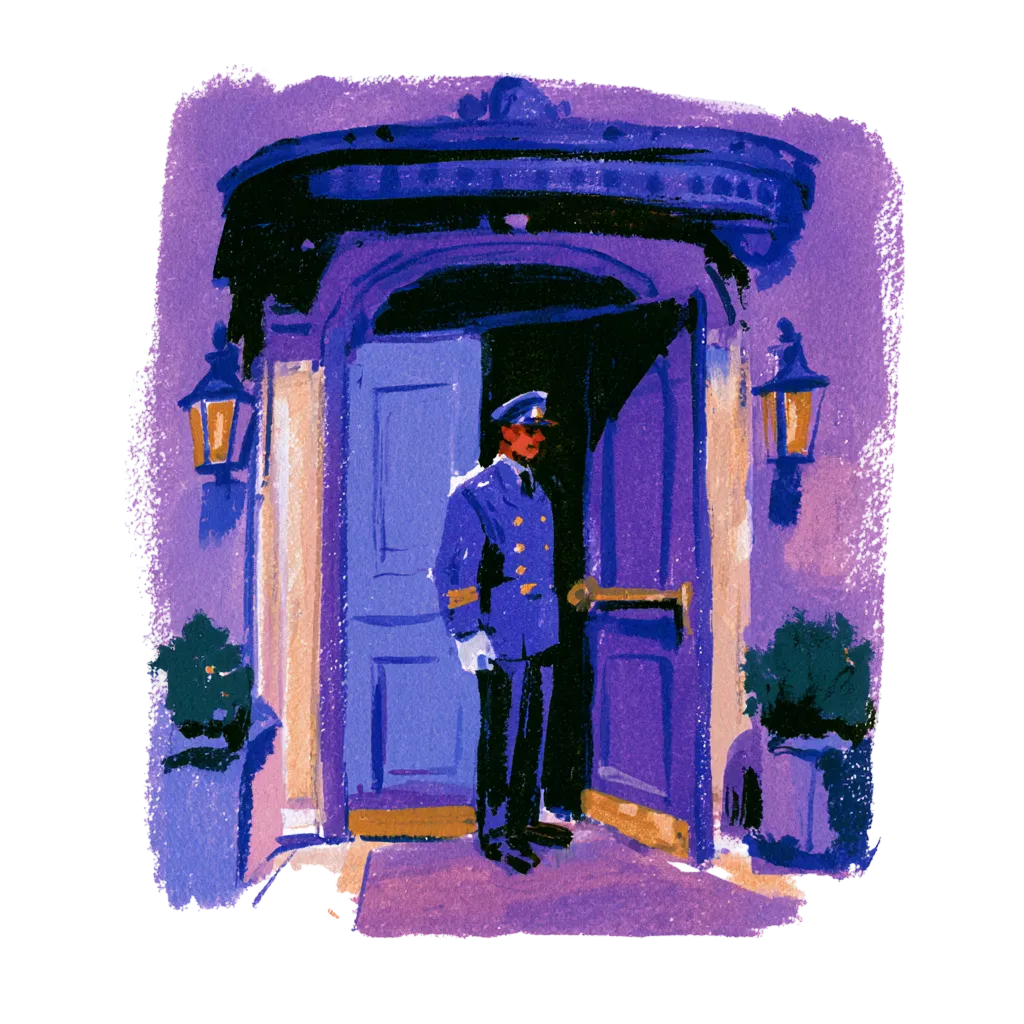
We tailor the walkthrough to your rooms, your team and your current guest journey.
Questions? Answers.
Straight answers for hotel people who want to know how it works.
The Basics
What does Alliants do to improve hotel security?
Alliants builds security into the normal guest journey rather than adding checks on top. Guests open the door with a wallet key, verify their ID on their own phone and pay on the payment provider's secure page. Staff sign in with their own passkeys and see only what their role allows. Alliants Digital Keys, Alliants Contactless, Alliants Payments and the Alliants Staff App each cover one part, and they share one guest record.
Which Alliants products make up the security side?
Four products do most of the work. Alliants Digital Keys puts the room key in the guest's wallet and lets you revoke it. Alliants Contactless handles online check-in, ID verification and the signed registration card. Alliants Payments keeps card details with your payment provider. The Alliants Staff App gives each team member their own sign-in and role-based access. All of them run on Alliants Core Platform, so they share one guest profile.
How is this different from plastic keys, paper card forms and shared logins?
A wallet key follows the booking, so it is issued at check-in and switches off at check-out, with no plastic card to lose or keep. Card details go into the payment provider's secure form, so nobody reads one out over the phone or writes it down. Every team member has their own login, so you can see who did what and remove access the moment someone leaves.
Who at the hotel is involved in making this work?
Mostly front office, guest services, reservations, finance and your IT lead. Front office and guest services manage keys and check-ins from the Alliants Staff App. Reservations and finance use Alliants Payments to send links and track what has been paid. Your IT lead decides how staff sign in and who holds which permissions. Each person sees only the modules and properties their role allows.
Do we have to replace our locks, PMS or payment provider?
No. Alliants works with what you already run. Alliants Digital Keys connects to supported lock systems from Salto, dormakaba and Assa Abloy, and your property management system (PMS) drives key issue and revocation. Alliants Payments uses your own merchant account with your payment provider. We confirm your exact lock, PMS and payment systems before you commit.
For Your Guests
Do guests have to download an app to get a room key?
Not on iPhone. Once checked in, guests add their room key to Apple Wallet from the guest web app, which opens from a link, and open the door with their iPhone or Apple Watch. Android guests use your hotel's own app for Bluetooth and near-field communication (NFC) keys. Google Wallet keys exist on some lock systems, so availability depends on your property.
How do guests prove who they are before they get a key?
Guests can verify their photo ID on their own phone during online check-in, and we capture their explicit consent first. Verification runs on Incode, and your team sees the outcome on the check-in sheet. Where it is available, you can require a verified ID before any key is issued, and guests can be asked to confirm a one-time code before adding a key to their wallet. Availability depends on your property.
What do guests see when they enter a card?
A secure page from your payment provider. Guests type card details into the provider's hosted form, with 3-D Secure where the card needs it, so card numbers are never typed into an Alliants form. Guests can save a card to their profile, see only the brand and last four digits, and remove it. Guests signed in by room number cannot add, view or use cards.
Can guests share a key with someone travelling with them?
Yes, where it is available. Guests share their key using Apple Wallet's own sharing, and each person gets their own pass that the owner can manage. You set how many invitations each key allows, and keys shared before check-in do not show the room number. Because each person holds their own key, you can revoke one without touching the others. Availability depends on your property.
Will the extra checks slow guests down on arrival?
It depends on the steps you choose to require. Guests complete a short checklist before arrival that shows what is done and what is left, and a digital key can be sent as soon as check-in is approved. Guests who prefer a conversation still get one at the front desk, and guests who prefer their phone skip the queue.
For Your Team
What happens to a key when a guest changes room or checks out?
Your property management system (PMS) drives it, so nobody has to remember to cancel a key. When a guest changes room, the old key is revoked and a new one issued. When the booking is checked out, keys are revoked straight away. If a key fails to issue, the failure is recorded, retried and flagged to your team, and a retry never creates a second key.
What can we do if a guest loses their phone?
Switch the key off at once. Staff revoke any key from the keys screen, with an optional reason, and can then issue a new key for the guest. Revoking is limited to staff with the right permission. The same screen lists every key at the property with its guest, room, key type, and issue and expiry dates, and checked-in bookings with no key show up so the desk can follow up.
Can we stop keys on a booking we are unsure about?
Yes. Staff with the right permission can revoke any key from the keys screen, and the booking sidebar can switch digital keys off for a single booking, which can include its wallet passes. Every change to a key is audited, so you can see who acted and when. Which of these controls you have depends on how your property is set up.
How does our team avoid handling card numbers?
Staff send a payment link instead of asking for a card. Choose a payment, card details only or a pre-authorisation, and the link goes by email or text. Guests pay on the provider's secure page, and staff see the status on the booking. Links expire after seven days. Viewing a full card number needs its own permission, so you can keep that to the people who need it.
Can every team member have their own login, even on a shared desk computer?
Yes. Everyone signs in as themselves, with a passkey using Face ID, a fingerprint or a device PIN, with a password, or through your own single sign-on. Sessions end after a period of inactivity, with a warning first. On a shared front desk computer, unsent drafts stay in that browser tab, expire after 24 hours and are cleared at sign-out. Access is removed as soon as a colleague is deactivated.
Set-Up and Integrations
Does it work with the locks we already have?
Yes, if your lock system is one we support: Salto, dormakaba (including Ambiance, System 6000 and LEGIC) or Assa Abloy (including Vostio). Each property connects its own lock system, and we set up the connection during onboarding. Once it is live, the Alliants Staff App shows whether the lock system is reachable and which key types it supports.
How does it connect to our property management system?
Your property management system (PMS) stays the source of truth. Check-in, room moves and check-out in your PMS trigger key issue and revocation, whether the guest checked in online or at the desk. Alliants Contactless confirms check-in and check-out with HotelKey, Apaleo and Mews, and writes check-out back to others such as OPERA Cloud and Infor. Availability depends on your property, and we confirm your exact PMS before you commit.
Can we keep our own payment provider?
Yes. Each brand or property uses its own merchant account. Alliants Payments works with Adyen, PayOne and Stripe, and others such as Braintree, Cybersource, Elavon and FreedomPay are possible, depending on your property. Staff can also send a saved card into the reservation in your property management system (PMS), using network tokens where the card scheme supports them.
Can our staff sign in with our own identity provider?
Yes. You choose whether staff sign in through your own single sign-on (SSO), and access then follows the groups in your staff directory. Passkeys and passwords that meet your brand's rules are also available, and multi-factor authentication (MFA) can be required for your brand. We set up these options for your brand during onboarding.
How do we roll this out across several properties?
Modules switch on per brand or property, so each hotel runs what it needs. Each property connects its own lock system and merchant account, and roles can be scoped to a single property or department. Group administrators move between brands without separate logins, and each brand's data sits in its own database. Talk to our team about the order that suits your properties.
Security and Data
Is Alliants certified for information security?
Yes. Alliants is ISO 27001 certified. Security runs through the whole platform, from how staff sign in and what each role can see, to how keys, cards and guest data are stored and erased. Data is encrypted in transit, and each brand has its own dedicated database.
Where is our guest data hosted?
On Amazon Web Services, in a regional deployment for your brand: Europe, the United States or Asia Pacific. Your guest data sits in its own dedicated database and is never matched or shared with another brand. Data is encrypted in transit, and keys are fenced to the brand that owns the booking.
How are card details protected?
Guests enter card details in your payment provider's hosted form, following the self-assessment questionnaire (SAQ) A model for the Payment Card Industry Data Security Standard (PCI DSS), and the card is vaulted by a PCI DSS Level 1 provider. Alliants stores only the provider token, card brand, expiry and last four digits. Payments run in their own isolated service with separate credentials.
How are keys and lock credentials protected?
Lock-system and wallet signing credentials are held in Amazon Web Services (AWS) Secrets Manager, never in the database. A wallet key or door code request needs a checked-in booking and is rate-limited per guest. One-time codes expire after five minutes and lock after repeated wrong attempts. Staff need separate permissions to view keys and to issue or revoke them.
How do you handle guest consent, ID data and erasure requests?
Explicit consent is captured before any ID check, and consent for messages is held per channel and checked before anything is sent. Signed registration cards are stored privately and opened only through short-lived links. When a guest asks to be erased, the request clears their data across related records, including registration cards, and data past your retention period is removed. Minors are never sent to your property management system.
Getting Started
Which bundles include the security features?
Alliants Digital Keys is part of the Seamless Bundle, the Keys Bundle and the All-In Bundle. Alliants Contactless and Alliants Payments are part of the Seamless Bundle and the All-In Bundle. The Alliants Staff App and Alliants Core Platform come with every brand. Pricing is per room per month for the bundle you choose, with a one-off set-up per property, so talk to our team about which bundle fits.
Can our IT lead and security team review your documentation?
Yes. Our security and legal teams will send the compliance documents your review needs. Book 30 minutes with an Alliants expert and bring your IT lead, with your questions on access, payments and guest data, and we will walk through your security checklist with you.
How can we see it working?
Book 30 minutes with an Alliants expert. We will show you the products running in a hotel like yours and talk through how they would fit your properties, locks, payment provider and property management system. Come with your security checklist and we will go through it against what you see.
How long does it take to go live, and what does onboarding cover?
It depends on your properties and systems, so we agree the plan and dates with you before you sign. Onboarding covers your property management system (PMS) connection, guest channels, departments and opening hours, plus virtual training for your team. For keys, we also set up the lock connection and wallet settings for each property.
Still have questions?
Talk to a real person. We know hospitality.
Certified, trusted and secure