

Every Guest, Every Language, One Inbox
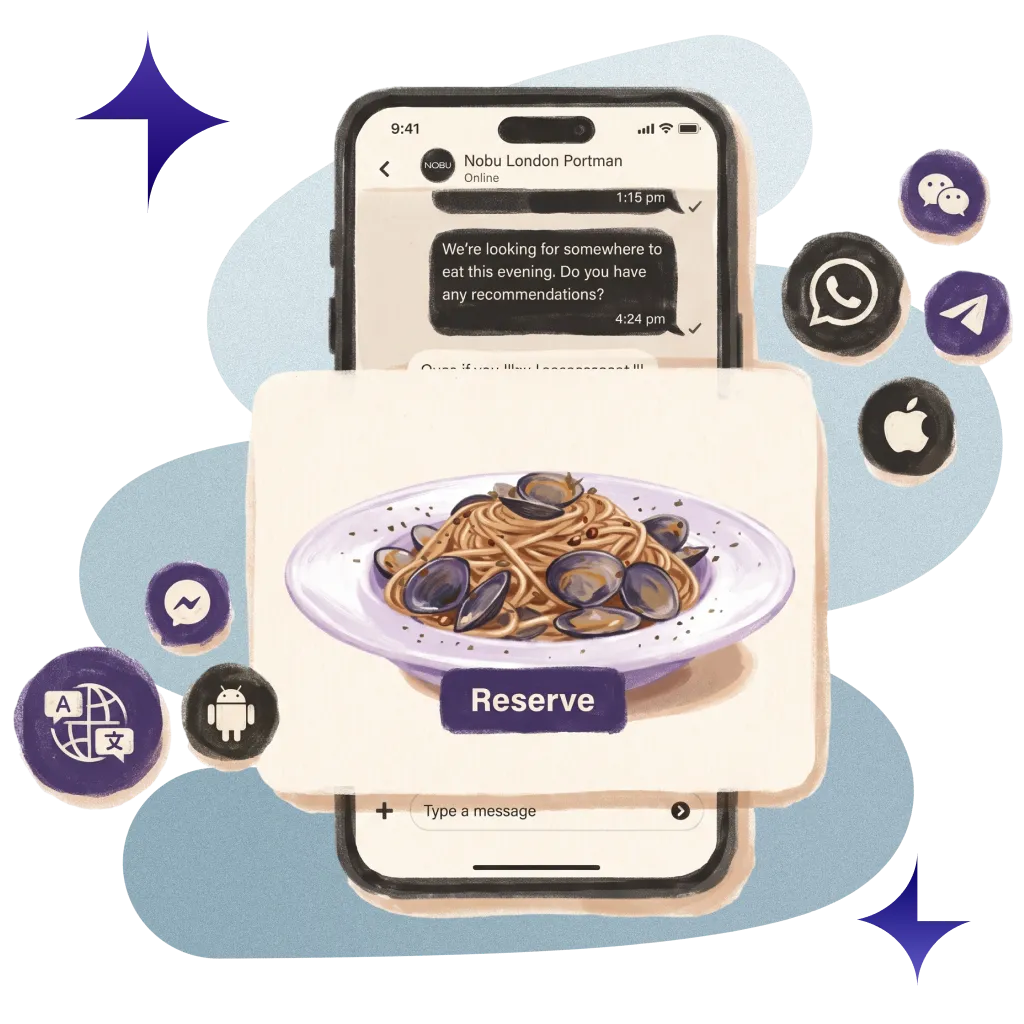
Enabling the richest messaging experience within the app, and allowing guests to message on 14 channels in over 100 languages.
70M+ guest experiences across hundreds of thousands of rooms.

















































Meet guests on every channel they already use.
Guests message on WhatsApp, text, email, web chat, your app, in-room tablets and more, and every thread lands in one inbox.


100+ Languages
Guests write in their own language and staff reply in theirs. Every message is translated both ways, and staff see what they typed.

Automated Escalations
Messages route to the right department. If no one answers in time, your rules escalate by email or forward it to another team.

Smart Team Inbox
Smart views, snooze, pins, internal notes, and @mentions keep every shift on top of guest and vendor conversations.

Ready-Made Replies
Approved templates fill in guest details, add action buttons and attachments, and can be scheduled to send at the right time.
Real hotels.
Real feedback.
Real Feedback.
Hear from the hotel teams who work with us every day.
Automate ordinary
Deliver extraordinary
Sunday roast for the in-laws? Asked on Instagram.
Every channel lands in one inbox. Answered in minutes, wherever they found you. The in-laws remain the in-laws.

A wobbly lamp. Reported. Repaired.
One photo, one click, one job. Fixed before they're back from the pool.

Promised at 02:00. Delivered at 09:00.
The night team leaves a note in the thread. The day team reads it. The early taxi turns up. Nobody passes notes on napkins.

Your systems, finally talking to each other.
You do not need more software. You need fewer tools that work together. Alliants puts the whole stay in one place.






Upgrade your digital guest journey today.
With decades of hospitality knowledge, our experience experts know how to deliver change for your property.

Questions? Answers.
Straight answers for hotel people who want to know how it works.
The Basics
What is Messaging?
Messaging is one inbox for every guest conversation. Guests write on the channel they already use, and your front office, guest services, concierge and department teams answer from a single thread. Guest and supplier conversations sit side by side, and each conversation is tied to the same guest profile used across alliants.ai.
What difference does it make to our team?
Fewer calls reach the front desk, and your team has more time for guests. In our figures: 71% faster than phone calls · 57,371 staff hours saved, an average of 299 hours per property.
For Your Guests
Which channels can guests message us on?
WhatsApp, text message, email, web chat and the guest web app, plus Messenger, Instagram, LINE, Telegram, Viber and WeChat. Text message and WhatsApp messages from the same guest at the same property merge into one conversation, and a closed conversation reopens when the guest writes again on any channel.
Can guests message from our own app or in-room tablets?
Yes. Guests can chat from your own iOS and Android apps and from in-room tablets, and those messages land in the same thread as every other channel. Availability depends on your property; ask your Alliants contact.
Do guests have to write in English?
No. Guests write in their own language and staff reply in theirs. Incoming messages are translated for staff, and replies are translated into the guest's language as they are sent. Staff always see the text they typed and the guest's original message beside each translation.
What do guests get when they message out of hours?
An automatic reply on the channel they used. Each department sets its business hours and can send an out-of-hours reply, and departments can also send an acknowledgement on a guest's first message. You choose whether to switch these on.
Can guests stop receiving messages?
Yes. STOP and unsubscribe requests are honoured per channel, and opt-outs from mobile carriers show as their own status, so staff know why a guest cannot be reached on that channel.
For Your Team
How do messages reach the right team?
Each channel routes to a default department, and staff can assign, transfer or bring another department into a conversation by hand. You can also forward conversations to another department on a schedule, such as overnight, set in your property's time zone.
What happens if a message waits too long?
Your rules escalate it. Each department can set rules that escalate unanswered messages or open requests by email, or forward them to one or more teams. Timers start and stop with the service, check-in, check-out and authorisation requests raised in the thread.
How does the inbox help a busy desk?
Smart views with live counts by channel, department, tag and status show what needs attention. Staff can snooze, pin or mute conversations, leave internal notes and @mention colleagues, step through waiting conversations in triage mode, and keep conversations docked while they work elsewhere. Unsent replies are kept across a page refresh.
Can we use approved replies?
Yes. One template library covers every channel, with owners and visibility by department or property. Templates fill in guest and property details, can carry action buttons and attachments, and can be scheduled to send at a set time. You can create and submit WhatsApp templates and follow their approval status.
How does WhatsApp's 24-hour rule affect us?
Messaging tracks it for you. Staff can see when the 24-hour WhatsApp window is open, and outside it they are guided to an approved template, so replies still reach the guest within WhatsApp's rules.
Set-Up and Integrations
Which services does Messaging connect to?
WhatsApp through Meta's WhatsApp Business Cloud API or Twilio, text message through Twilio, email through SendGrid, and web chat and further channels through Sunshine Conversations. Translation uses Google Cloud Translation and Gemini, with a China-hosted translation provider and WeChat customer service for properties in mainland China.
How is Messaging set up for our properties?
We switch Messaging on for your brand, with WhatsApp, text message and email enabled per channel. Channels, departments, business hours and escalation rules are then set up for each property during onboarding, and a set-up wizard checks each channel's credentials before it goes live.
Do staff or guests need to install anything?
No. Staff use alliants.ai in any modern browser, and guests message from the apps they already have, the guest web app or web chat, with nothing to download.
Security and Data
Is Alliants certified for information security?
Yes. Alliants is ISO 27001 certified. Security is built into the platform, from how staff sign in to how guest data is stored and erased.
Where is our data hosted?
On Amazon Web Services, in one regional deployment for your brand: Europe, the United States or Asia Pacific. Each brand has its own dedicated database, and data is encrypted in transit.
How do you handle guest data requests?
When a guest asks to be erased, the request clears their data across related records, including conversations, messages, AI summaries, drafts and voice recordings, and keeps a record of what was cleared without holding any guest details. Consent is held per channel and checked before any message is sent.
Getting Started
Which bundles include Messaging?
Messaging is part of the Signature, Messaging and All-In bundles. Pricing is agreed per contract, so talk to our team about the right bundle for your properties.
How can we see it working?
Talk to our team. We will show you Messaging running in a hotel like yours and talk through how it would fit your properties and systems.
Have more questions?
Or just want to get started?
Talk to a real person. We know hospitality.
Alliants Messaging
Works even better with
Every Alliants product reads from the same guest profile, so each one makes the next more useful.

Alliants Allin AI
An AI sidekick that answers guests and helps your team.

Alliants Agents
Routing and escalation that run quietly in the background.

Alliants Guest App
Your brand's digital front door, on web and mobile.

Alliants Core Platform
One trusted profile for every guest, across every property.
Certified, trusted and secure